Add a Place Setup Guide
How to List and Manage Your Place on 8thAve.ca
This guide walks you through each section of the “List a Place” form and explains how to create a high-quality listing that accurately represents your business on 8thAve.ca. It is designed to help you complete your listing confidently, understand package-specific features, and avoid common issues during submission.
Before You Begin
8thAve.ca is a curated platform focused on the Stephen Avenue Walk (8 Avenue SW) corridor and the surrounding Downtown Calgary area.

Before starting your listing, we recommend reviewing the About page to view the coverage map and confirm that your business location falls within the supported area.
- Listings are published upon payment
- Listings may be reviewed after publication to ensure accuracy and corridor eligibility
- Continued publication depends on meeting platform guidelines
Package Selection
Choose the package that best fits your business goals.
Your package determines:
- The number of images you can upload
- How many categories and tags you can select
- Maximum description length
- Eligibility for enhanced visibility features
- Access to the Appointments Management System
⚠️ Not all packages include Appointments.
If your package includes Appointments, you will see the “Has Appointments” option when creating or editing your listing.
You may upgrade your package at any time if your needs change.
Place Title and Description
Place Title
Enter your business or place name exactly as you want it displayed publicly.
Place Description
Use this space to clearly describe:
- What your business offers
- What makes your place unique
- What visitors should expect when they arrive
If appointments or reservations are handled outside the platform (for example, by phone, email, or an external booking system), include clear instructions at the end of your description.
Special Offers
(Available with Premium & Elite Packages)
The Special Offers section is available only to Premium and Elite Place packages.
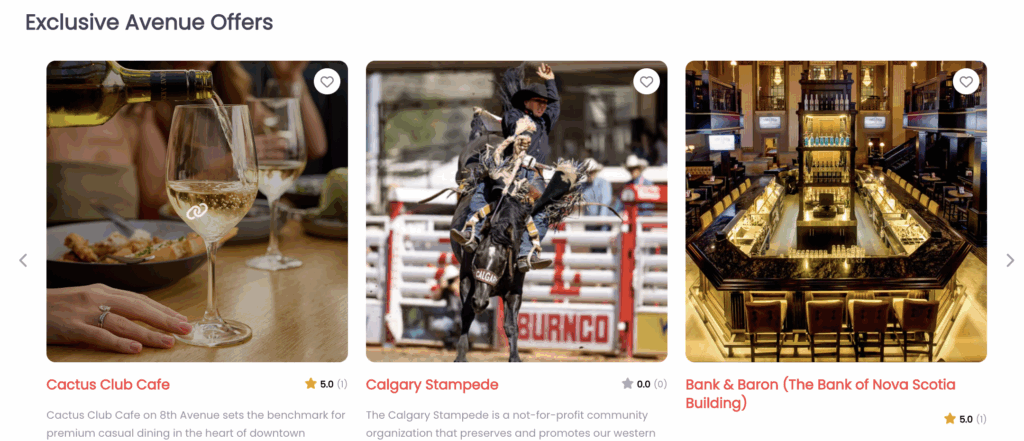
When included, your place is automatically enrolled in the homepage Preferred Access & Privileges section.
What Special Offers Are For
Special Offers are intended as a distinct perk for visitors discovering your business through 8thAve.ca. They are separate from your regular promotions or in-store discounts.
Examples include:
- A complimentary item
- A visitor-only perk
- A mention-based offer (e.g., “Mention 8thAve.ca”)
How Special Offers Appear
- Offers are published automatically with your listing
- Inclusion in Exclusive Avenue Offers (homepage) is part of your package
- Offers may randomly rotate alongside other participating businesses
- Visibility is not guaranteed at all times due to rotation and layout constraints
Ongoing Quality & Accuracy
To maintain a trusted visitor experience:
- Offers should remain accurate and honored while active
- Outdated or misleading offers may be updated, hidden, or removed
- You may be contacted if clarification is needed
Categories and Tags
Categories
Select the categories that best describe your business.
The number of categories you can select depends on your package.
Default Category
Your default category affects:
- Your listing URL
- Your map marker icon
Choose the category that most accurately represents your business.
If you cannot find a suitable category, contact info@8thave.ca.

Tags
Tags are short keywords that help visitors discover your listing.
Enter tags separated by commas, with no spaces.
Address and Map Location
Enter your street address and click Set Address on Map.
You may:
- Adjust the map marker by dragging it
- Refine latitude and longitude if needed
Accurate placement is important for navigation, search visibility, and corridor eligibility.
Images
Upload high-quality images (maximum 2MB per image) that represent your business professionally.
Guidelines:
- Upload multiple images to create a gallery
- Images should be clear, well-lit, and visually balanced
- Drag and drop to reorder images
Text & Graphics in Images
Images may include natural text elements such as:
- Business signage
- Logos
- Interior or exterior branding
However, images that are primarily promotional (heavy text overlays, flyers, menus, or ads) may affect platform consistency.
Promotional-style images may be reordered, hidden, or removed if necessary.
Contact and Social Links
Provide accurate ways for visitors to reach or learn more about your business:
- Phone number
- Email address
- Website
- Social media links (Facebook, Instagram, X)
Only include links that are actively maintained.
Business Hours
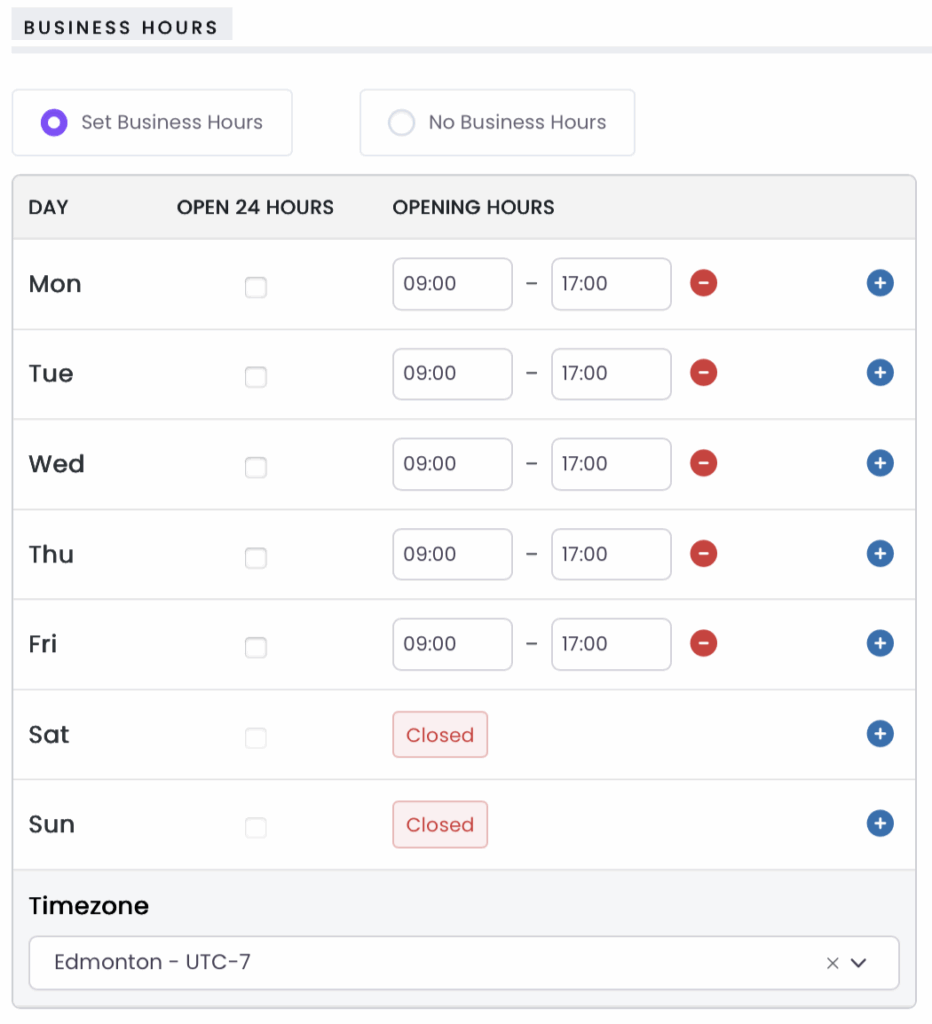
Enable Business Hours if your place operates on a schedule.
You can:
- Set opening and closing times for each day
- Mark days as closed
- Select the correct timezone (Edmonton – UTC-7)
Accurate hours help avoid visitor confusion.
Appointments
(Available with Premium & Elite Packages)
Appointments allow customers to request time slots directly through your listing.
Appointments are disabled by default.
To enable Appointments:

- Check “Has Appointments” when creating or editing your listing
- Additional fields will appear for appointment setup and policies
⚠️ 8thAve.ca does not process online payments for appointments.
Appointments are for scheduling and confirmation only.
Cancellation Policy
When Appointments are enabled, you may provide a Cancellation Policy explaining:
- Cancellation or rescheduling notice periods
- How missed appointments are handled
- Walk-in availability (if applicable)
This policy is written by you and displayed to customers during the booking process.
Listing Approval Agreement
Before submitting your listing, you must acknowledge that:
- Your listing meets quality, accuracy, and eligibility standards
- Your business is physically located within the Stephen Avenue corridor
- Approval or continued publication is not guaranteed
- 8thAve.ca provides appointment scheduling functionality only
- All payments, cancellations, refunds, missed appointments, and service outcomes are handled directly between you and your customers
Preview and Submit
- Preview Listing lets you review how your place will appear publicly
- Submit Listing publishes your listing upon payment
You may edit your listing at any time from your dashboard.
Appointments Management System
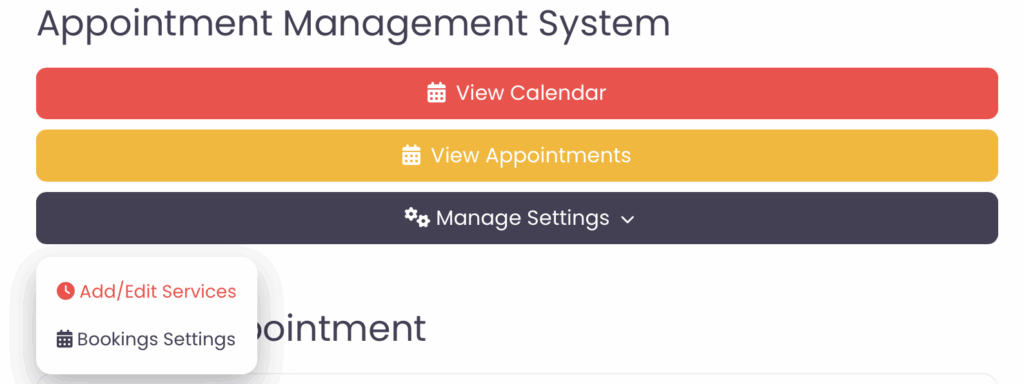
The Appointments Management System allows you to:
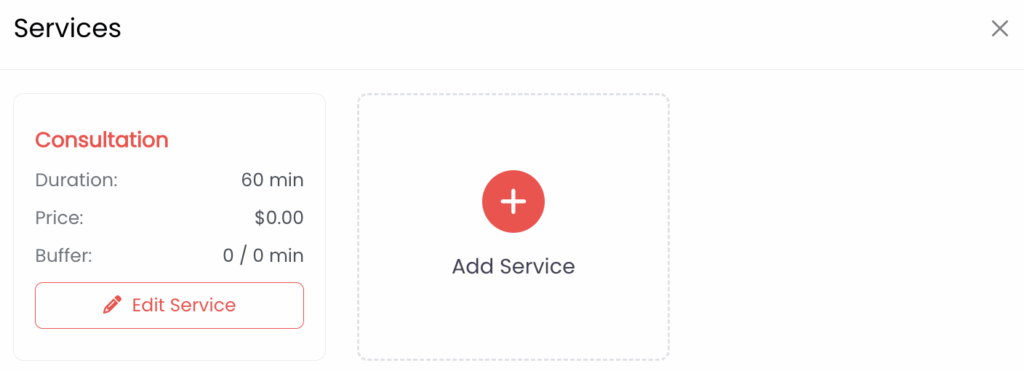
- Define services and durations
- Set availability and time slots
- Review appointment requests
- Confirm, reject, cancel, or complete appointments
Appointment Statuses
Appointments may appear as:
- Pending Confirmation
- Confirmed
- Cancelled
- Completed
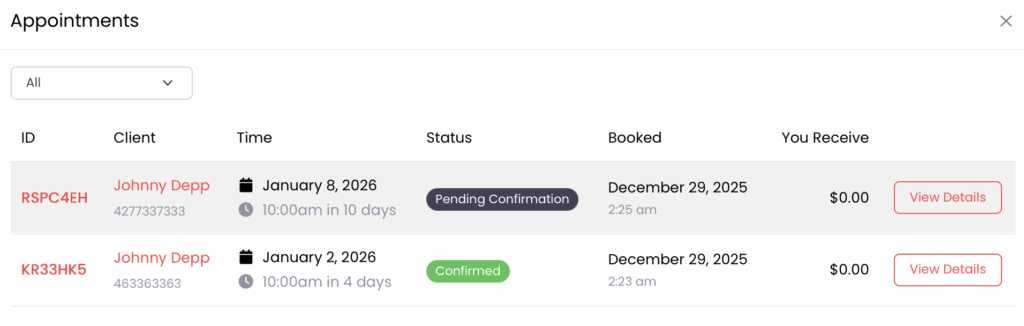
There is no “no-show” status — missed appointments should be addressed in your cancellation policy.
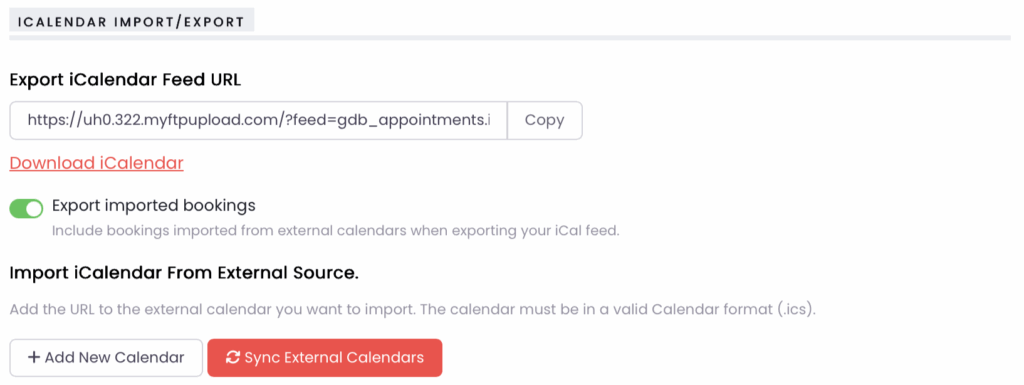
Calendar Import & Export (Optional)
You may sync appointments using iCalendar (iCal):
- Export your appointment calendar
- Import external calendars
- Reduce the risk of double-bookings
Customer Booking Experience
From the customer’s perspective:
- Select a date
- Choose an available time slot
- Review your service details and policies
- Submit the appointment request
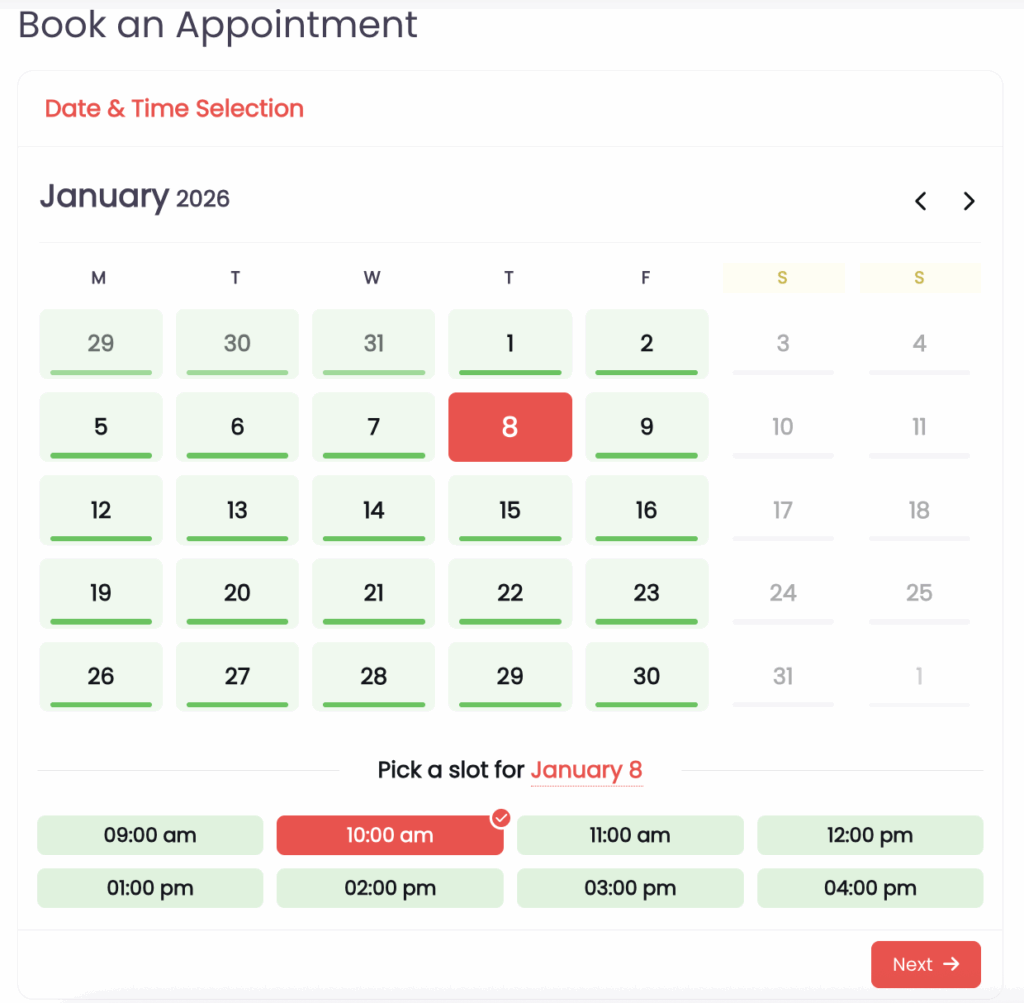
Appointments are confirmed only after your approval.
Key Reminders for Owners
- Appointments are optional
- No online payments are processed for appointments
- Providers are fully responsible for service delivery
- 8thAve.ca provides scheduling tools only
Need Help?
- Review this guide while completing your listing
- Manage updates from your dashboard
- Contact info@8thave.ca for technical issues
✅ This guide reflects the current MVP feature set and will be updated as the platform evolves.